
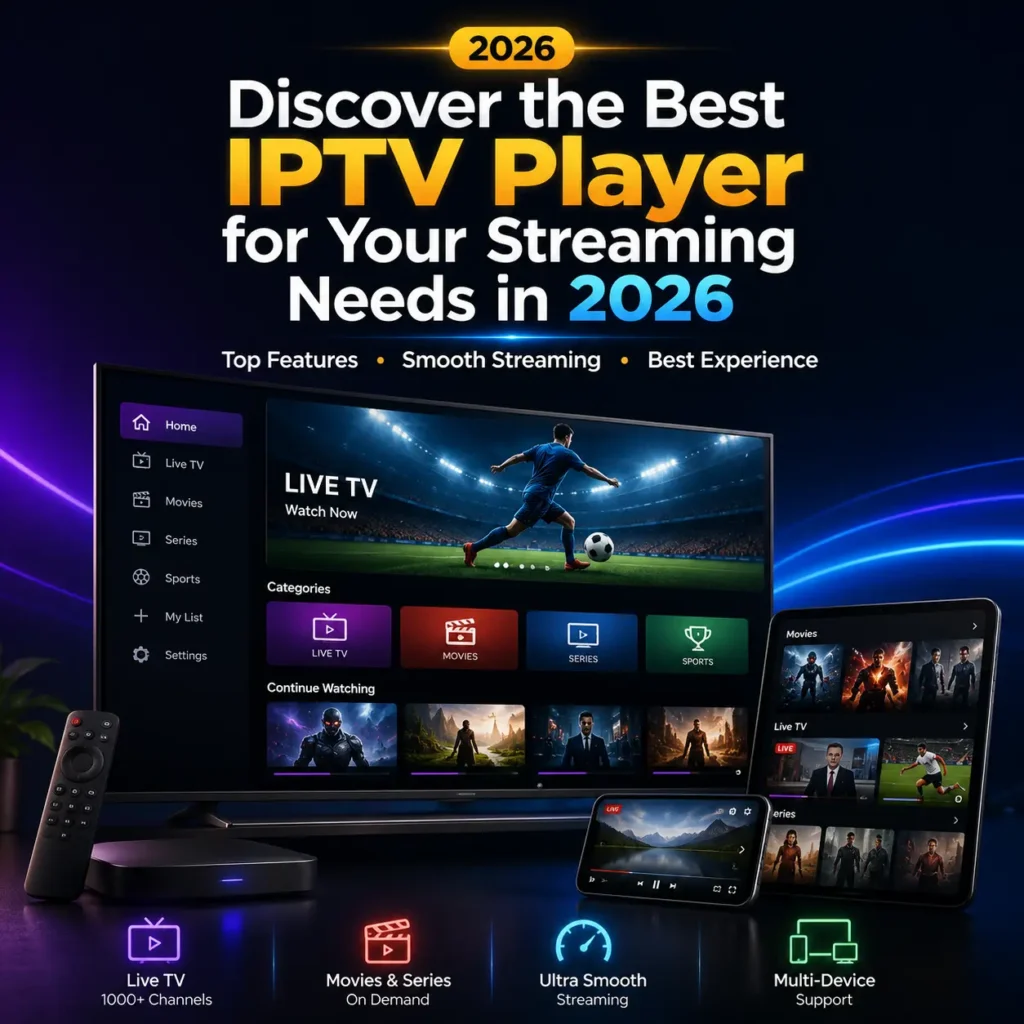
Streaming your favorite content in the United States requires more than just a fast internet connection. You need a reliable interface that organizes your digital library with ease. Choosing the right software transforms your home entertainment setup into a seamless viewing experience.
Finding the best iptv player is essential for anyone looking to maximize their media consumption. A high-quality application offers stable performance and intuitive navigation, which keeps your focus on the screen rather than technical glitches.

Selecting the right tool involves looking at specific criteria like format support and user interface design. We will explore the core features that define a top-tier iptv player for your daily needs. By understanding these standards, you can ensure your setup remains efficient and enjoyable for years to come.
Key Takeaways
- A high-quality streaming interface is vital for a smooth home entertainment experience.
- Reliability and speed are the most important factors when selecting your software.
- User-friendly design helps you manage your digital content without unnecessary frustration.
- Top-tier tools offer broad format support to ensure all your media plays correctly.
- Understanding core technical criteria helps you make an informed decision for your household.
Understanding the Fundamentals of IPTV Technology
Before you choose an iptv player, it is helpful to grasp the technical architecture that powers your favorite shows. Unlike traditional cable or satellite systems that broadcast signals through dedicated lines or airwaves, Internet Protocol Television delivers content through your existing internet connection.
This process relies on data packets, which are small units of information sent from a server to your device. When you select a channel, your software requests these packets, which are then reassembled in real-time to display video and audio on your screen.
Traditional broadcasting sends a continuous stream of data to every connected home, regardless of whether the viewer is watching. In contrast, modern streaming is on-demand, meaning data is only transmitted when you actively request it. This efficiency is why a stable internet connection is the most critical factor for a smooth viewing experience.
If your connection fluctuates, the delivery of these data packets can be interrupted, leading to common issues like buffering or pixelation. By understanding these basics, you can better troubleshoot playback problems when they occur. Selecting a high-quality iptv player that manages these data streams effectively will ensure that your media remains consistent and clear.
Ultimately, this foundational knowledge empowers you to make informed decisions about your digital setup. Whether you are a casual viewer or a power user, knowing how your iptv player interacts with network traffic helps you get the most out of your subscription services.
Essential Features to Look for in an IPTV Player
Your streaming setup relies heavily on the specific features of your chosen player. When evaluating different software, you must prioritize iptv player features that guarantee stability and ease of use. A high-quality application transforms how you interact with your digital content library.
One of the most critical components is Electronic Program Guide (EPG) support. This feature allows you to view schedules, program descriptions, and channel information in a clean, organized format. Without a reliable EPG, navigating through hundreds of channels becomes a frustrating experience.
For users who enjoy watching multiple events simultaneously, multi-screen capabilities are essential. This functionality lets you split your display to monitor several streams at once, which is perfect for sports enthusiasts. Additionally, ensure your chosen app utilizes hardware acceleration to offload processing tasks from your CPU. This results in smoother video playback and prevents annoying buffering during high-definition broadcasts.
Intuitive navigation menus also play a significant role in your daily satisfaction. A well-designed interface allows you to categorize your favorite channels, create custom playlists, and search for content with minimal effort. Below is a summary of the core technical requirements you should verify before installation.
| Feature Category | Primary Benefit | User Impact |
|---|---|---|
| EPG Integration | Channel Scheduling | High Organization |
| Hardware Acceleration | Smooth Playback | Reduced Buffering |
| Multi-Screen Support | Simultaneous Viewing | Enhanced Productivity |
| Custom UI Menus | Easy Navigation | Better Accessibility |
Ultimately, the best iptv player features are those that align with your specific viewing habits. By focusing on these technical pillars, you ensure a robust and enjoyable streaming environment for your entire household.
Selecting the Right IPTV Player for Your Specific Device
Finding the perfect IPTV player starts with understanding the unique constraints of your streaming device. Not every application is optimized for every hardware platform, making device compatibility a critical factor in your selection process. When you choose software that aligns with your hardware, you ensure a much smoother viewing experience.
Processing power and memory constraints play a massive role in how well an app performs. If you are using a low-power streaming stick, you might notice that heavy, feature-rich applications struggle to load or maintain a steady stream. Matching your specific hardware capabilities with the right software is the best way to avoid common performance bottlenecks and frustrating crashes.
Operating system requirements also dictate which players will function correctly on your hardware. For instance, a player designed for a high-end Android TV box may not offer the same stability on a basic smart television. You should always check the technical specifications of the player to see if it supports your device’s architecture.
To help you make an informed decision, consider the following hardware-to-software alignment guide:
- Low-End Devices: Look for lightweight, minimalist players that prioritize speed over complex visual interfaces.
- Mid-Range Devices: Most standard IPTV players will function well, provided you manage your cache and background processes.
- High-End Hardware: You can safely utilize advanced players with heavy customization options and high-resolution EPG support.
By taking the time to navigate these technical requirements, you can ensure your chosen player runs efficiently on your unique device. A well-matched setup prevents lag and keeps your favorite content streaming without interruption. Always prioritize system stability over flashy features if your hardware is limited.
How to Find and Download a Reliable IPTV Player
Navigating the world of digital downloads requires a careful approach to avoid malicious files. When you search for an iptv player download, it is easy to stumble upon sites that promise premium features for free but deliver malware instead. Protecting your device starts with choosing the right source for your media software.
Always prioritize official channels such as the Google Play Store, Apple App Store, or the Amazon Appstore. These platforms perform security checks on every application before they become available to the public. If you are looking for a free iptv player, these stores provide the safest environment to find legitimate and functional software.
Downloading from unverified third-party websites often exposes your system to significant risks. These sites may bundle hidden trackers or viruses within the installation files. You should avoid any source that requires you to disable your antivirus software or bypass system security warnings to complete the installation.
Verifying the authenticity of your software is a simple but essential habit. Check the developer’s official website to confirm that the version you are downloading matches the one listed in the app store. A secure iptv player download will always come from a reputable developer with a clear privacy policy and active support channels.
The following table outlines the key differences between safe and risky download practices to help you make informed decisions.
| Feature | Official Source | Third-Party Site |
|---|---|---|
| Security Scanning | Automatic and rigorous | None or unreliable |
| Software Updates | Automatic and timely | Manual and often missing |
| Data Privacy | Verified and transparent | High risk of data theft |
| File Integrity | Guaranteed original code | Potential for malware |
By sticking to these guidelines, you ensure that your free iptv player remains a tool for entertainment rather than a security liability. Always take a moment to verify the source before clicking the download button to keep your digital environment secure.
Setting Up Your IPTV Player on Android Devices
Transforming your Android phone or tablet into a high-performance media center starts with a proper installation process. While Android devices offer a highly flexible environment for streaming, they require specific configuration steps to achieve optimal performance. Using a reliable iptv player for android ensures that you can access your favorite content with ease and stability.
To begin, you will often need to download an iptv player apk directly from the developer’s official website. Since these files are not always found in standard app stores, you must ensure your device settings allow for installations from unknown sources. Follow these steps to get started:
- Enable “Install from Unknown Sources” in your Android security settings.
- Download the verified iptv player apk file using your mobile browser.
- Locate the file in your downloads folder and tap to initiate the installation.
- Grant the necessary permissions, such as storage access, to allow the app to load your playlists.
Once the application is installed, managing your device resources becomes the next priority. You should monitor background processes to ensure that your streaming remains uninterrupted during high-traffic periods. Closing unnecessary apps helps the system dedicate more memory to your video playback.
Finally, keep your software updated to benefit from the latest security patches and performance improvements. A well-configured iptv player for android will provide a smooth, high-quality viewing experience every time you open the app. By following these simple steps, you can enjoy a seamless entertainment setup on any compatible device.
Configuring an IPTV Player for Windows Desktop Systems
Desktop users often find that a dedicated iptv player for windows provides the best control over their streaming experience. Unlike mobile devices, a desktop environment allows you to leverage larger monitors and precise keyboard shortcuts for navigation. This setup transforms your computer into a high-performance media hub capable of handling complex streams with ease.
To begin, download your preferred software from a reputable source and follow the standard installation prompts. Once installed, you should focus on optimizing the internal settings to match your hardware capabilities. Adjusting the buffer size is particularly important if you experience frequent interruptions during high-definition playback.
Configuring an iptv player for windows involves more than just basic installation. You must ensure that your audio output settings are correctly mapped to your speakers or external sound system. Proper configuration prevents synchronization issues and ensures that your media library remains organized for quick access.
“True streaming quality is not just about the source; it is about how effectively your hardware processes the data stream to provide a seamless visual experience.”
Integrating your existing M3U playlists into the software creates a centralized management system. This allows you to categorize channels, manage EPG data, and switch between streams without leaving your desktop interface. The following table outlines the essential configuration adjustments you should consider for a stable connection.
| Setting Category | Recommended Action | Benefit |
|---|---|---|
| Buffer Size | Increase to 5-10 seconds | Reduces stream stuttering |
| Audio Output | Select DirectSound/WASAPI | Improves sound clarity |
| Hardware Decoding | Enable GPU Acceleration | Lowers CPU usage |
| Playlist Format | Use M3U8 for stability | Ensures better compatibility |
By taking the time to fine-tune your iptv player for windows, you create a robust environment for long-term viewing. Remember to check for software updates regularly to maintain security and compatibility with new streaming protocols. A well-configured desktop system will consistently outperform standard mobile apps in both stability and visual fidelity.
Optimizing Your Streaming Experience on Mac Computers
macOS offers a powerful environment for high-definition streaming if you know how to configure your tools correctly. Finding a reliable iptv player for mac is essential for users who want to maintain system stability while enjoying their favorite content. By following a few simple steps, you can ensure your device runs efficiently without unnecessary lag.
When selecting software, prioritize applications that are specifically optimized for the Apple ecosystem. Native apps often provide better hardware acceleration, which significantly reduces the load on your computer’s processor. This allows you to enjoy high-definition streams while keeping your system cool and responsive.
“Efficiency is doing things right; effectiveness is doing the right things.”
Peter Drucker
To maintain a fluid experience, adjust your iptv player for mac settings to match your hardware capabilities. Disable unnecessary background processes and ensure your network connection is stable before starting a stream. These small adjustments prevent buffering and keep your playback smooth during peak viewing hours.
Managing system resources is a critical part of the process. If you notice high CPU usage, try lowering the buffer size or switching to a hardware-decoded stream format. A well-configured iptv player for mac will provide a professional-grade experience that rivals dedicated streaming hardware.
Finally, keep your software updated to benefit from the latest performance patches. Regular updates often include optimizations that improve compatibility with the latest macOS versions. By staying proactive, you ensure that your streaming setup remains reliable and fast for years to come.
Installing and Managing IPTV Player Apps on Smart TVs
Installing an iptv player app on your television requires a clear understanding of your specific operating system. While smart TVs provide a convenient way to stream content, they often come with limited storage and processing power. Optimizing your device ensures that your favorite shows load quickly without constant interruptions.
To find the right iptv player for smart tv usage, you must first identify your TV’s platform. Android TV devices typically use the Google Play Store, while Samsung TVs rely on Tizen and LG models utilize WebOS. Each system has a unique interface for downloading and organizing your software.

Managing your installed applications is vital to prevent system clutter. You should regularly remove apps that you no longer use to free up valuable internal memory. Keeping your apps updated is equally important, as these updates often include critical security patches and performance improvements that keep your streaming experience stable.
The following table outlines the general installation approach for the most common smart TV operating systems found in the United States.
| Operating System | Primary Store | Installation Method | Management Style |
|---|---|---|---|
| Android TV | Google Play | Direct Download | App Drawer |
| Tizen (Samsung) | Smart Hub | App Store Search | Home Ribbon |
| WebOS (LG) | LG Content Store | Store Download | Launch Bar |
By following these simple steps, you can maintain a high-performing iptv player app environment. Always check for firmware updates on your television to ensure full compatibility with the latest streaming technology. A well-maintained iptv player for smart tv setup will provide years of reliable entertainment for your entire household.
Evaluating the Best IPTV Player Options Currently Available
Navigating the crowded market of streaming applications requires a clear understanding of what each tool brings to the table. Because every user has different technical requirements, finding the best IPTV player often depends on your specific hardware and personal preferences.
This iptv player review aims to simplify your search by highlighting the most effective solutions available today. Whether you prioritize deep customization or simple, out-of-the-box functionality, there is a platform designed to meet your needs.
TiviMate IPTV Player for Advanced Customization
TiviMate is widely considered the gold standard for users who want complete control over their viewing experience. It offers an incredibly polished interface that allows for extensive customization of channel lists and EPG layouts.
Power users appreciate the ability to manage multiple playlists and record live broadcasts with ease. If you enjoy tweaking every detail of your software, this is likely the top iptv player for your setup.
IPTV Smarters Pro for User-Friendly Interface
If you prefer a straightforward approach, IPTV Smarters Pro is an excellent choice. It is famous for its intuitive design, which makes navigating through thousands of channels feel effortless for beginners.
The application supports various media formats and provides a stable environment for daily streaming. It remains a favorite for those who want a reliable iptv player that works perfectly without requiring complex configuration steps.
Perfect Player for Legacy Device Compatibility
Perfect Player stands out as a robust solution for users operating on older, legacy hardware. While modern apps often demand high processing power, this tool is highly optimized to run smoothly on older Android boxes and smart TVs.
“Technology is best when it brings people together and simplifies the way we consume our favorite content.”
Its interface mimics the classic cable box experience, making it a top iptv player for those who value familiarity. It ensures that even older devices can handle modern streaming streams without constant lag or crashes.
| Feature | TiviMate | Smarters Pro | Perfect Player |
|---|---|---|---|
| Customization | High | Medium | Low |
| Ease of Use | Medium | High | High |
| Legacy Support | Low | Medium | High |
Ultimately, the right iptv player for you depends on your specific device and how much control you want over your media. By comparing these three industry leaders, you can make an informed decision that enhances your home entertainment.
Step-by-Step Guide to Loading M3U Playlists
Setting up your media library begins with the simple process of loading an M3U playlist. This standard format acts as a bridge between your service provider and your chosen application, allowing you to access a vast array of channels and categories. Mastering this import process is the most reliable way to ensure your streaming experience remains organized and functional.
To begin, you must have a valid M3U URL or a downloaded file provided by your service. Most modern players feature a dedicated section in the settings menu specifically for playlist management. Follow these steps to get your content running smoothly:
- Open your IPTV player and navigate to the Settings or Playlist Manager menu.
- Select the option to Add New Playlist or Add M3U URL.
- Enter the provided URL carefully or browse your device storage to select the downloaded M3U file.
- Assign a recognizable name to the playlist so you can easily identify it later.
- Save your changes and allow the application a few moments to process and sync the channel data.
Even with a careful setup, you might occasionally encounter issues that prevent your channels from loading. A common problem involves broken links, which often occur if the service provider updates their server address without notice. If your playlist fails to load, double-check the URL for any typos or missing characters.
Another frequent hurdle is an invalid file format error. This usually happens if the file was corrupted during the download or if the player does not support the specific encoding of the playlist. If you face this, try downloading the file again or contact your provider to ensure you are using the correct link format for your specific device.
Maintaining a clean library requires periodic updates to your playlists. If you notice that your channel list is outdated or missing new content, simply refresh the playlist within your player settings. By keeping your M3U data current, you ensure that your streaming setup remains fast, reliable, and fully optimized for your daily viewing needs.
Managing EPG Data for Better Channel Organization
An Electronic Program Guide (EPG) is the secret to transforming a chaotic list of channels into a professional television experience. This data provides real-time information about current and upcoming shows directly within your player interface. Without a properly linked guide, you are left guessing what is airing across your various networks.
To link your EPG source, you must input the specific URL provided by your service provider into the settings menu of your player. Once the URL is added, the application will fetch the metadata and map it to your existing channel list. Accuracy is key, so ensure that your source is reliable and updated frequently to avoid missing program details.
Customizing your guide view allows you to create a personalized dashboard that fits your specific viewing habits. You can easily hide unwanted channels that you never watch, which clears the clutter and makes navigation much faster. By prioritizing your favorite networks, you ensure that the content you love is always at the top of your list.
“Organization is the silent partner of efficiency; when your media is structured, your enjoyment of the content increases tenfold.”
Maintaining your guide requires a balance between automated updates and manual oversight. Refer to the table below to understand the differences between these two management styles for your streaming setup.
| Feature | Automatic Updates | Manual Refresh |
|---|---|---|
| Convenience | High | Low |
| Data Accuracy | Moderate | High |
| System Load | Low | High |
| Best For | Daily Users | Power Users |
Proper EPG management significantly enhances the usability of your streaming setup. By taking the time to configure your guide, you gain a seamless viewing experience that rivals traditional cable services. Stay consistent with your updates to keep your channel information accurate and your interface clean.
Troubleshooting Common Connectivity and Buffering Issues
Nothing ruins a movie night faster than constant buffering and connection drops. These interruptions are often the most frustrating part of the streaming experience for many users. Fortunately, most of these playback issues stem from predictable causes like network congestion or server-side limitations.
The first step in diagnosing your connection is to check your internet speed. You should run a speed test while connected to the same network as your streaming device. If your speeds are significantly lower than what your service provider promises, you may need to restart your router or contact your ISP for support.

If your internet speed is sufficient, consider adjusting your player’s buffer settings. Many advanced IPTV players allow you to increase the cache size, which helps the app store more data ahead of time. This simple change can often smooth out playback even when your network experiences minor fluctuations.
For the most stable experience, we highly recommend using a wired Ethernet connection whenever possible. While Wi-Fi is convenient, it is susceptible to interference from walls, other electronic devices, and signal drops. A direct cable connection provides a consistent data flow that wireless alternatives simply cannot match.
If you continue to face issues, refer to the following table to identify potential solutions for your specific situation:
| Issue Type | Primary Cause | Recommended Action |
|---|---|---|
| Constant Buffering | Low Bandwidth | Lower stream quality or check ISP |
| Connection Drops | Weak Wi-Fi Signal | Switch to wired Ethernet |
| Playback Freezing | Server Overload | Restart app or change server |
| Audio/Video Sync | Cache Issues | Clear app cache and restart |
Enhancing Security While Using an IPTV Player
Keeping your personal data secure while using an IPTV player is easier than you might think. When you access streaming services over the internet, your digital footprint can be exposed to various third parties. Prioritizing your online privacy is the most effective way to enjoy your favorite content without unnecessary worry.
One of the most reliable tools for protecting your connection is a Virtual Private Network, commonly known as a VPN. By routing your internet traffic through an encrypted tunnel, a VPN effectively masks your IP address from prying eyes. This simple step ensures that your streaming habits remain private and shielded from potential tracking.
Beyond encryption, you must remain vigilant about the sources you choose for your media. Many unauthorized services or suspicious links can harbor malicious software designed to compromise your personal information. Always verify the reputation of any service provider before you input your credentials or download associated files.
To maintain a high level of digital safety, consider these essential habits:
- Use a reputable VPN service to encrypt your data traffic.
- Avoid clicking on pop-up ads or links from unverified streaming sources.
- Regularly update your IPTV player software to patch known security vulnerabilities.
- Use strong, unique passwords for any accounts linked to your streaming apps.
Implementing these security measures creates a robust defense for your home network. By staying informed and cautious, you can ensure that your streaming activities remain fully protected from external threats. Taking control of your digital environment allows you to focus on what matters most: a seamless and secure viewing experience.
Legal Considerations and Best Practices for IPTV Usage
The distinction between IPTV technology and the content accessed through it is a critical concept for every modern viewer. While the software itself is simply a tool for playback, the media you choose to stream carries specific legal responsibilities. Understanding this difference helps you navigate the digital landscape with confidence and clarity.
Responsible streaming begins with the source of your media. You should always prioritize using authorized and licensed content providers to ensure your viewing habits remain within the bounds of the law. Accessing pirated or unlicensed streams can lead to significant copyright issues and potential service interruptions.
To maintain full compliance, it is essential to verify that your service provider holds the necessary distribution rights for the channels and programs they offer. By choosing legitimate platforms, you support the creators and distributors who work hard to produce high-quality entertainment. This approach not only protects you from legal risks but also ensures a more stable and reliable streaming experience.
Adhering to these best practices allows you to enjoy your favorite shows with complete peace of mind. Consider the following guidelines to keep your setup secure and compliant:
| Practice Category | Recommended Action | Benefit |
|---|---|---|
| Content Sourcing | Use licensed providers | Legal safety |
| Software Usage | Update player apps | Enhanced security |
| Network Security | Use a secure connection | Data protection |
| Account Management | Verify service terms | Service reliability |
Ultimately, your commitment to copyright compliance defines your experience as a digital consumer. By staying informed and making ethical choices, you contribute to a healthier streaming ecosystem for everyone. Always prioritize transparency and legitimacy when selecting your media sources.
Advanced Customization Tips for Power Users
Transforming your standard IPTV application into a high-performance media hub requires a few strategic adjustments. If you want to elevate your streaming experience, diving into the deeper settings menu is the best place to start. These advanced configuration options allow you to tailor the interface and performance to match your specific hardware capabilities.
One of the most effective ways to organize your content is by creating custom channel groups. Instead of scrolling through hundreds of channels, you can categorize your favorites into specific folders like “Sports,” “News,” or “Movies.” This simple change significantly reduces navigation time and keeps your most-watched content front and center.
For families, setting up parental controls is an essential step in managing access to sensitive content. Most professional-grade players allow you to lock specific categories or channels with a secure PIN. This ensures that younger viewers only access age-appropriate material while you maintain full control over the library.
Navigation speed can also be improved by configuring remote control shortcuts. Many players support custom key mapping, which lets you assign specific actions to your remote buttons. You can set a single button to jump directly to your guide, toggle subtitles, or switch between audio tracks instantly.
Finally, consider using external video decoders to improve playback quality on high-resolution displays. While the built-in player is often sufficient, external decoders can provide better hardware acceleration and support for advanced codecs. This is particularly useful if you notice stuttering or poor image quality when streaming 4K content on a large screen.
Conclusion
Selecting the right streaming tools transforms how you interact with global media. You now possess the technical knowledge to navigate complex interfaces and manage your digital library with precision.
Consistent updates to your software ensure peak performance across all hardware. Keep your devices secure by using trusted applications like TiviMate or IPTV Smarters Pro. These choices protect your data while delivering high-quality visuals.
Explore new content sources to expand your viewing horizons. Share your favorite setup tips with friends who seek a better way to watch live broadcasts. Your journey toward a seamless home theater experience starts with these informed decisions.
Take control of your entertainment schedule today. The power to curate your perfect channel list rests in your hands. Enjoy the freedom that comes with a well-optimized streaming setup.
FAQ
What defines the best IPTV player for home entertainment in the United States?
The best IPTV player is characterized by a combination of a user-friendly interface, broad format support, and stability. In the U.S. market, top-tier options like TiviMate or IPTV Smarters Pro are preferred because they offer a seamless viewing experience that mimics traditional cable while providing the flexibility of modern streaming technology.
How does the technical architecture of an IPTV player app differ from traditional cable?
Unlike traditional cable that uses satellite or coaxial signals, an iptv player app relies on Internet Protocol to deliver data packets. This requires a stable internet connection and efficient software capable of decoding these packets in real-time to prevent playback issues and ensure high-definition quality.
What are the must-have iptv player features for a premium experience?
Essential iptv player features include Electronic Program Guide (EPG) support, multi-screen viewing, and hardware acceleration. These tools allow users to organize content effectively and ensure smooth video playback even on high-resolution 4K streams.
Why is device compatibility crucial when choosing a top iptv player?
Not all software is created equal; a top iptv player must be optimized for the specific processing power and operating system of your hardware. For instance, an application optimized for a high-end PC might struggle on a budget streaming stick due to memory constraints and CPU limitations.
Where is the safest place to perform an iptv player download?
To protect your digital security, always initiate an iptv player download from official sources like the Google Play Store, Amazon Appstore, or the developer’s verified website. Avoid unverified third-party sites that may host compromised files or malware.
How do I properly install an iptv player apk on my mobile device?
When setting up an iptv player for android, you may need to sideload an iptv player apk. This involves enabling “Unknown Sources” in your security settings, installing the file, and then granting the necessary permissions to ensure the app can manage background processes for uninterrupted streaming.
What are the benefits of using an iptv player for windows on a desktop?
Using a dedicated iptv player for windows, such as VLC Media Player or MyIpTV Player, allows users to take advantage of larger monitors and keyboard shortcuts. These desktop applications often provide advanced settings for buffer size and audio output configurations that enhance the overall media management experience.
Which iptv player for mac is recommended for macOS users?
For those in the Apple ecosystem, a reliable iptv player for mac like IINA or GSE Smart IPTV is recommended. These players are designed to minimize CPU impact while maintaining high-definition quality, ensuring your Mac remains fast and responsive during long streaming sessions.
How do I manage an iptv player for smart tv to prevent system lag?
To keep an iptv player for smart tv running smoothly on systems like Samsung Tizen or LG WebOS, it is vital to regularly clear the app cache and keep the software updated. Given the limited storage on most TVs, managing your installed apps helps maintain a responsive user interface.
What does a typical iptv player review say about TiviMate vs. IPTV Smarters Pro?
A standard iptv player review often highlights TiviMate for its advanced customization and “cable-box” feel, making it a favorite for power users. In contrast, IPTV Smarters Pro is frequently praised for its user-friendly interface and ease of setup, making it ideal for beginners.
How do I correctly load an M3U playlist into my streaming software?
To populate your player, you must navigate to the settings and import your M3U URL or file provided by your service. If you encounter errors, verify that the link is active and that your iptv player app supports the specific file format to ensure your channel library loads correctly.
Can I find a high-quality free iptv player that supports EPG data?
Yes, there are several free iptv player options like Perfect Player or Kodi that offer robust support for EPG data. These tools allow you to link an XMLTV source to your playlist, providing a professional and organized channel guide without a subscription fee.
What should I do if my player experiences constant buffering?
Troubleshooting buffering involves checking your internet speed and switching from a Wi-Fi connection to a wired Ethernet cable for better stability. You can also adjust the buffer settings within your player’s advanced menu to allow more data to pre-load before playback begins.
Why is a VPN recommended for security when using streaming applications?
Using a VPN, such as ExpressVPN or NordVPN, is essential to encrypt your data and mask your IP address. This prevents third parties from monitoring your streaming habits and protects your personal information from potential threats on the open web.
What are the legal best practices for using an IPTV player?
The most important practice is to ensure you are only accessing content through authorized and licensed providers. While the iptv player technology itself is legal, using it to stream copyrighted material without permission can lead to legal complications.
How can power users further customize their streaming setup?
Power users can enhance their experience by using external video decoders like MX Player, setting up parental controls, and creating custom channel groups. These advanced configurations allow for a personalized environment that functions exactly according to the user’s preferences.